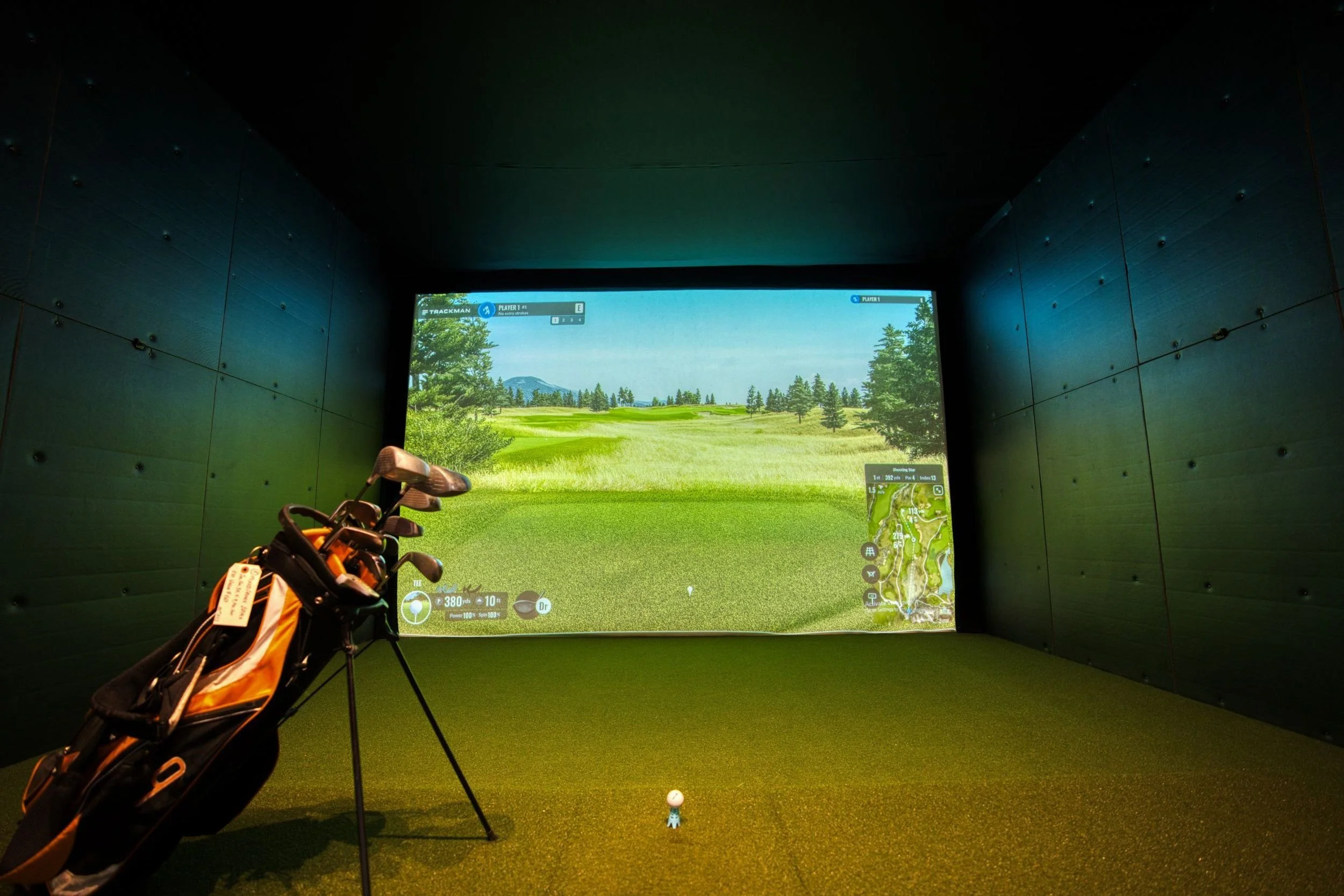
A home golf simulator is only as good as the surface the ball hits. The launch monitor reads the shot, the projector paints the fairway, but the impact screen is the part that takes thousands of full swings, sits closest to the player, and decides whether the room feels like a range or a racket.
Pick the wrong one, and the problems show up fast: a loud slap on every drive, balls bouncing back towards your shins, a washed-out image, or a torn seam after one winter of practice. The eight screens below cover premium, mid-range and budget builds, with a buying guide and answers to the questions most golfers ask before they order.
Why the Impact Screen Matters More Than Most Golfers Think
Indoor golf is no longer a niche hobby. The National Golf Foundation counted 8.1 million simulator and screen golf users in 2024, up from 3.8 million in 2015, and more than half of them did not play a single round on a course that year. A growing share of those swings now happen in garages, basements and spare rooms.
In a home setup, the screen does four jobs at once. It stops the ball safely, it controls how much energy comes back towards the hitter, it keeps the noise down for the rest of the house, and it acts as the projection surface. A screen that is great at one of these and poor at the others will frustrate you within weeks.
| Screen | Construction | Sizing | Best For |
| Golfbays Pro+ Impact Screen | Fibre-bonded, abrasian-protected | 27 sizes plus custom | Best overall |
| SIGPRO Premium | Three-layer spacer fabric | 1:1, 4:3, 16:10, 16:9 | Image quality |
| Carl's Place Premium | Three-layer polyester | Multiple sizes, made to order | Custom edge finishing |
| Rain or Shine RS Tour DIY | Impact-resistant fabric with grommets | 5 sizes | DIY frame builds |
| The Net Return Pro Series Flex | White Polyester | 3 sizes | Net Return owners |
| GoSports Impact Screen | High-density woven polyester | 7 ft and 10 ft | Tight budgets |
| Cimarron 10' x 10' Impact Screen | Commercial-grade polyester | 10' x 10' | Multi-use bays |
| Durbles Triple Layer Screen | Triple-layer polyester | 4 sizes | Portable setups |
1. GolfBays Pro+ Impact Screen
Frequent practice can put considerable strain on an impact screen. The GolfBays Pro+ Impact Screen earns the top spot because it handles all four jobs well without forcing a trade-off. It uses a fibre-bonded material with abrasion protection, a construction built for commercial bays that also suits a heavy-use home setup.
Durability starts with ball speed. The Pro+ is rated for strikes above 200 mph, which is faster than the vast majority of golfers will ever hit, so even the longest hitters in the household have comfortable headroom.
Sizing is the other standout. The screen comes in 27 preset dimensions, from roughly 7'6" wide by 8'5" high up to 18' wide by 9'10" high, covering 4:3, 16:10, 16:9 and 1:1 aspect ratios. Custom sizes are available on request, which helps anyone working with an awkward ceiling height or a wide garage bay.
The surface is designed to stay quiet on impact and produce a sharp, high-resolution image. One installation detail matters: the bottom edge is meant to hang loose rather than be pulled tight, which gives the material room to absorb the ball and cuts bounce-back.
Price: from $550
Ball speed rating: 200+ mph
Warranty: 9 months
Best for: golfers who want a long-lasting, quiet screen in an exact size
2. SIGPRO Premium
Shop Indoor Golf's SIGPRO Premium screen uses a three-layer build: two tight-knit polyester faces sandwiching vertical spacer yarns. That spacer layer is what soaks up energy, so shots die against the screen instead of springing back.
The tight outer weave also gives a smooth projection surface with very little bleed-through, and the brand pitches it as 4K-ready. Black vinyl edges with grommets come standard, and a hook-and-loop perimeter makes it easy to attach side curtains or padding.
Price: roughly $420 to $980, depending on size
Sizes: 7'7" to 10' square, plus 4:3, 16:10 and 16:9 options up to 10' x 17'6"
Warranty: 1 year residential
Best for: golfers who care most about picture sharpness
3. Carl's Place Premium
Carl's Place is a long-running name among DIY simulator builders, and its three-layer premium impact screen is made to order. The polyester layers are tested against balls traveling up to 250 mph, and the smooth face blocks ambient light while dampening the sound of each strike.
Where it really stands out is in the finishing touches. You can choose classic vinyl edges with grommets, a version with 7-inch nylon flaps that protect the frame from mishits, or loop fastener strips for fully custom mounting. That flexibility makes it a favorite for anyone building a frame from scratch.
Price: from about $440
Ball speed rating: up to 250 mph
Best for: DIY builders who want control over mounting and edge protection
4. Rain or Shine RS Tour DIY Screen
Rain or Shine Golf's RS Tour DIY Screen ships with built-in grommets and is designed to bolt onto a range of framing options. Setup is quick, and the five preset sizes (7.7' x 10', 8' x 10.5', 8' x 14', 9' x 12' and 9' x 16') include wider panoramic formats that suit 16:9 projectors.
It is a sensible pick for golfers who already have a frame or enclosure plan and simply need a reliable hitting surface. The 9' x 12' version retails around $549.
Sizes: 5 options, including wide formats
Best for: custom frames and widescreen projector setups
5. The Net Return Pro Series Flex
Golfers who already own a Net Return hitting net can turn it into a simulator with the Pro Series Flex screen. It is a white polyester panel that attaches with bungee cords, so you can switch between simulator mode and ball-return mode without tools.
It comes in three widths, all 85 inches tall, and it is quieter than many standard screens. Note that simulator screens from this brand are generally not returnable once opened, and the screen may arrive creased and require a light iron.
Sizes: Pro Series 8, 9 and 10
Best for: Net Return owners adding a projector
6. GoSports Impact Screen
At about $100 for the 7 ft version, the GoSports screen is one of the cheapest ways to get started. It uses high-density woven polyester, hangs from four corner grommets, and pairs neatly with the GoSports Elite hitting net. A larger 10 ft version is also available.
The thinner single-layer build means more noise and more bounce-back than the premium screens above, and it will wear faster under daily use. For a beginner testing whether a simulator fits their routine, it is a low-risk entry point.
Price: about $100 (7 ft)
Best for: first-time builders on a strict budget
7. Cimarron 10' x 10' Impact Screen
Cimarron's 10' x 10' screen is made from commercial-grade polyester and is thick enough to double as a backstop or baffle. The square format suits 1:1 or 4:3 projectors and gives generous coverage in a standard garage bay.
The trade-off is fewer size options. If your room fits a 10' x 10' screen, it is a solid workhorse; if not, look at a brand with more presets.
Size: 10' x 10'
Best for: square bays and garages with plenty of height
8. Durbles Triple Layer Screen
Durbles offers a triple-layer polyester screen in four square and 4:3 sizes, with reinforced grommets around the edge. The layered build cuts noise compared with single-layer budget screens, and it folds down for storage, which helps when the simulator shares space with a car or a home gym.
Image quality is decent rather than outstanding, but the price sits well below the premium tier.
Sizes: 4 options
Best for: renters and anyone who packs the setup away between sessions
How to Choose a Golf Simulator Impact Screen
Match the Size to the Room, Not Just the Projector
Start with the room. Most golfers need at least 9 to 10 feet of ceiling height to swing a driver comfortably and enough width to stand to either side of the hitting mat. Measure first, then pick a screen that fills the wall without crowding the swing. If the simulator shares space with weights or a rower, the layout advice in this guide to designing a home gym helps with zoning a multi-use room. This keeps the different activities from interfering with each other.
Pick an Aspect Ratio That Fits Your Projector
The screen's aspect ratio should match the projector's native output, usually 4:3, 16:10 or 16:9. A mismatch leaves dead space on the screen or spills the image onto the walls. Throw ratio, brightness and mounting height all shape the final picture, and this breakdown of setting up a projector for indoor golf covers how to line those up with the screen size. These factors also affect where the projector needs to be positioned.
Look at Layers and Bounce-Back
Single-layer screens are cheaper but louder, and they send more energy back toward the hitter. Multi-layer or bonded screens absorb more of the ball's speed, which makes them safer and quieter. A loose-hanging bottom edge or tensioned bungee mounting also reduces bounce-back by letting the fabric give on impact.
Check the Ball Speed Rating
A rating of 200 mph or more covers almost every golfer. Fast swingers who regularly generate driver ball speeds above 160 mph should treat this rating as essential rather than optional.
Consider Noise
Sound matters most in attached garages and basements under living spaces. Thicker, layered screens muffle the strike, and adding foam padding to the walls behind (not directly against) the screen helps further. Always follow the manufacturer's spacing advice, since padding pressed against the back of the screen can void some warranties.
Think About Fire Safety
Projectors, space heaters and lighting all run hot, and many simulator rooms sit in garages. Some screen makers test their fabrics for flame resistance, so check the product sheet if fire resistance matters for your space.
Factor in Warranty and Returns
Warranties range from a few months to a year and usually cover rips from normal ball strikes, not misuse. Some brands don't accept returns on screens once opened, so confirm the policy before ordering a custom size.
Setup Tips That Extend Screen Life
A good screen can still fail early if it is installed badly. Leave 12 to 18 inches between the screen and the wall behind it so the fabric can flex. Hit off a mat placed at least 10 feet from the screen when possible, which lowers the force at impact and gives the launch monitor room to read the ball.
Use clean balls, since dirt and grass leave marks that dull the projected image. Rotate the hitting position slightly over time if the screen allows it, so wear doesn't concentrate on one spot.
Frequently Asked Questions
What is the best golf simulator impact screen?
The GolfBays Pro+ Impact Screen is the best overall pick for most home builds thanks to its quiet fibre-bonded surface, 200+ mph rating and 27 size options. SIGPRO Premium is a strong alternative for golfers focused on image sharpness. Budget buyers can start with GoSports and upgrade later.
What is a golf impact screen made of?
Most impact screens are made of polyester, either as a single woven layer or as several bonded or layered sheets. Premium screens use a multi-layer or fibre-bonded construction to absorb ball energy and reduce noise. The face is kept smooth so it doubles as a projection surface.
How long do golf simulator impact screens last?
A quality screen typically lasts several years of regular home use. Lifespan depends on how often you hit, your ball speed, and whether the screen has enough space behind it to flex. Budget single-layer screens usually wear out faster than premium multi-layer ones.
What size impact screen do I need for a golf simulator?
Most home setups use screens between 8 and 10 feet high and 10 to 16 feet wide. Measure the ceiling height and room width first, then match the screen to your projector's aspect ratio. Leave space on both sides so the hitting area feels open.
Can I use a regular projector screen for a golf simulator?
No. Standard projector screens are not built to stop a golf ball and will tear or stretch quickly. Impact screens are made specifically to absorb repeated strikes while still showing a clear image.
How far should the impact screen be from the wall?
Leave roughly 12 to 18 inches between the screen and the wall or padding behind it. That gap lets the fabric absorb the ball's energy instead of slamming into a hard surface. Too little space increases bounce-back and can damage both the screen and the wall.
How do I reduce bounce-back on an impact screen?
Choose a multi-layer or bonded screen, mount it with bungees or a loose bottom edge, and keep space behind it. These steps allow the fabric to flex on impact. Hitting from a little further back also helps.
Are impact screens loud?
Every screen makes some sound, but layered and bonded screens are much quieter than thin single-layer models. Wall padding and a gap behind the screen cut noise further. In attached garages, a quieter screen makes a noticeable difference for the rest of the household.
Should I choose a white or gray impact screen?
White screens are brighter and suit most rooms with controlled lighting. Gray screens can improve contrast in rooms with some ambient light. Your projector's brightness and the room's lighting should guide the choice.
Do impact screens come with a warranty?
Most do, usually from 6 months to 1 year. Coverage typically includes rips from normal golf ball strikes but excludes misuse, such as padding pressed directly behind the screen. Check the terms before buying, especially for custom sizes.
Final Thoughts
The top impact screen for golf simulators is the one that fits your room, matches your projector, and holds up to the way you swing. Premium bonded and multi-layer screens cost more up front but stay quieter, safer and sharper for longer, while budget options are a reasonable way to get started. Measure carefully, check the ball speed rating and warranty, and the screen will quietly do its job for thousands of practice sessions.