It's 6 a.m., and you are in your favorite workout class, trying to get that great video of you in action. You are sweaty, your phone is on top of a kettlebell, and the first take was perfect. When you post it, however, it's fuzzy! Even your newest matching workout set looks strange.
Here's what it comes down to: You want the video to show off your look and your sweat and the vibe of your workout. Now, do you need to redo that video? Not necessarily. Here's how to troubleshoot your problem, convert your video into HD, and post it.
The 30-Second Clip Audit: Know What You’re Fixing
Before, you start trying ways to make a blurry workout video sharper, spend 30 seconds figuring out what the problem is.
Not all blurry videos can be fixed with the same solution!
Clothes details are blurry: If you can't see the fabric, threads, or logo, it might be because of low quality video or compression. Converting to HD may help a bit.
Video too grainy or dull? Is your studio too dark? Bad lighting is usually the cause. Try removing noise and fixing the color.
Uneven jerking or shaky motion video: Did anyone hit the phone in mid-exercise? Try the option on camera app for video stabilization of that movement.
Blurry fast action: Jumps and reps that are fast and look streaked out? That's called motion blur. Your HD conversion can't do anything about it but try again with better lights and a faster shutter speed.
Quick tip: Always start with the original video from your phone. It usually has better quality than a copy downloaded from social media.
The Fix: Convert to HD Before You Post
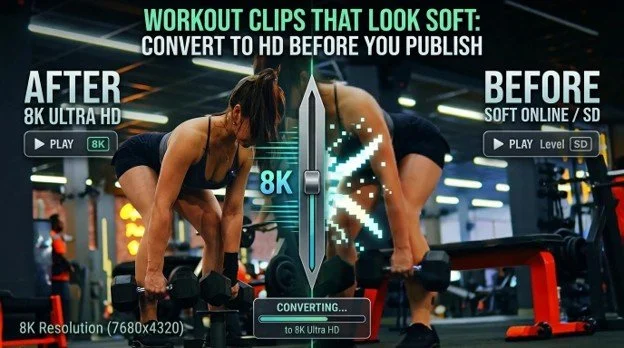
Got a blurry workout clip but would hate to re-shoot the entire thing? Fix it with Wink. Wink is an AI video and photo enhancer that upscales videos and images to 8K resolution, eliminates noise, sharpens soft clips, and enhances videos and photos that are blurry.
Ever thought about making your fitness videos look their best? Well, we tried this 4K HD Video Converter, and here's what we loved. You can upscale your old videos into 4K. Grain, color and details are all improved simultaneously. So textured fabrics, signs, and logos will appear crisp and clear, and all those flat studio light colors will look better than ever before.
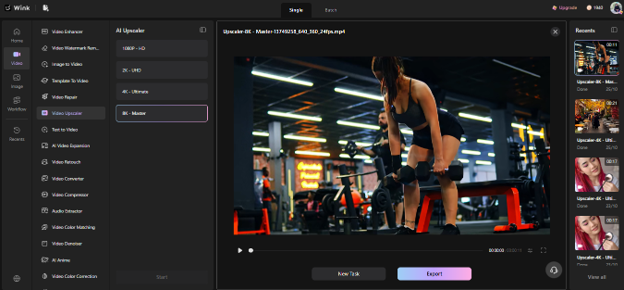
Here's something we liked. Wink adjusts each scene based on its lighting, movement, and depth. So, a dark Pilates session and a bright outfit check in the same Reel get different fixes.
Got a week's worth of workout clips? No worries, batch conversion allows you to upload the entire week's content in one shot. However, HD conversion isn't magic. It can improve soft images, but it can't fully restore serious motion blurs or salvage information that isn't there.
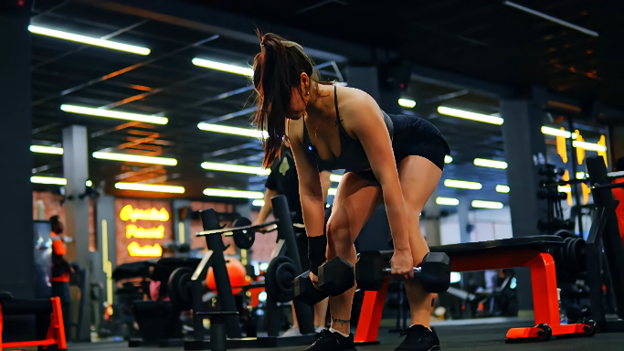
The LIST: Studio Clips That Go Soft, and the Fix for Each
1. The Matching-Set Try-On
Your outfit looks great, but the video is too hazy? Use HD conversion to enhance fabric details and seams of the garment. This matters even more with natural-fiber activewear, where texture is part of the look.
2. Reformer Pilates in a Moody Studio
If the lights are dim, videos can get grainy. To get rid of that graininess, use Wink's HD converter. As an extra, try out night scene enhancement on darker videos.
3. Hot Yoga and Red-Light Rooms
Under such lights, your skin tones and outfit could look different. Video color correction is one way to restore the natural color balance. Flickering can also happen, so double-check that.
4. Hyrox, HIIT, and the Burnout Round
Love the energy of Hyrox-style workouts? Capturing it on camera isn't always easy. Fast moves and shaky phones can ruin a good clip. Use video stabilization first, then HD conversion to improve clarity.
5. Spin and Rhythm Rides
Some flashlights turn spinning videos into a jumble. Get clarity out of your Wink concert video enhancement model. Double check the color prior to publishing.
ROCK THIS WHEN: Choosing Your Export
Don't know which video quality to select? Follow this simple guide.
Rock 1080p for Instagram Reels, Tik Toks, and Stories. Pretty good for most social posts.
Rock 1080p or 2K on when adding workout gear. Those seams and material texture should be sharp.
Rock 4K or 8K for studio websites, brand spots, and screens. It only needs to be an original quality to start with.
Choose one resolution when editing clips together. It'll create a cohesive look for your feed.
The Form Check: Four Things to Inspect Before You Post
Your video looks a lot clearer now. Is it time to post? Hold on! First make sure you've checked these four things.
Fabric and fit: Can you see the seams and fabric textures? Be sure that they don't look overly sharp or manufactured.
Natural movement: Watch the jumps, squats, and stretches. Nothing should appear stiff, bent, or overly smooth.
True colors: Ensure skin tones and outfit colors look real. If it's a sponsored post, always keep the color and fabric of the product as it is.
Studio feel: Does the video still look like your actual workout space? You should keep the lighting and mood natural.
One more advice: A final tip: Enhance the video rather than the body. Stay away from body reshaping tools that set unrealistic fitness goals.
Workout requires sweating and exertion! Besides, you should always seek permission from other class members before uploading clips that show them.
Conclusion
Got an awesome workout clip that is blurry when you post it online? Save it! Wink's HD video converter lets you bring the sharpness back, enhances hues, and minimizes grain and noise without a second go-round. Simply pick the resolution, ensure the motion and clothing colors look appropriate, and click to upload. After all, it's only fair when your workout videos look as good as your workout!